Know which channel pays you.
Visitors are nice. Revenue Source Stats shows which source brings the people who buy.
Free account, nothing to pay. Skool members log in with their Skool email. Skool member login
 DataFast
 Plausible
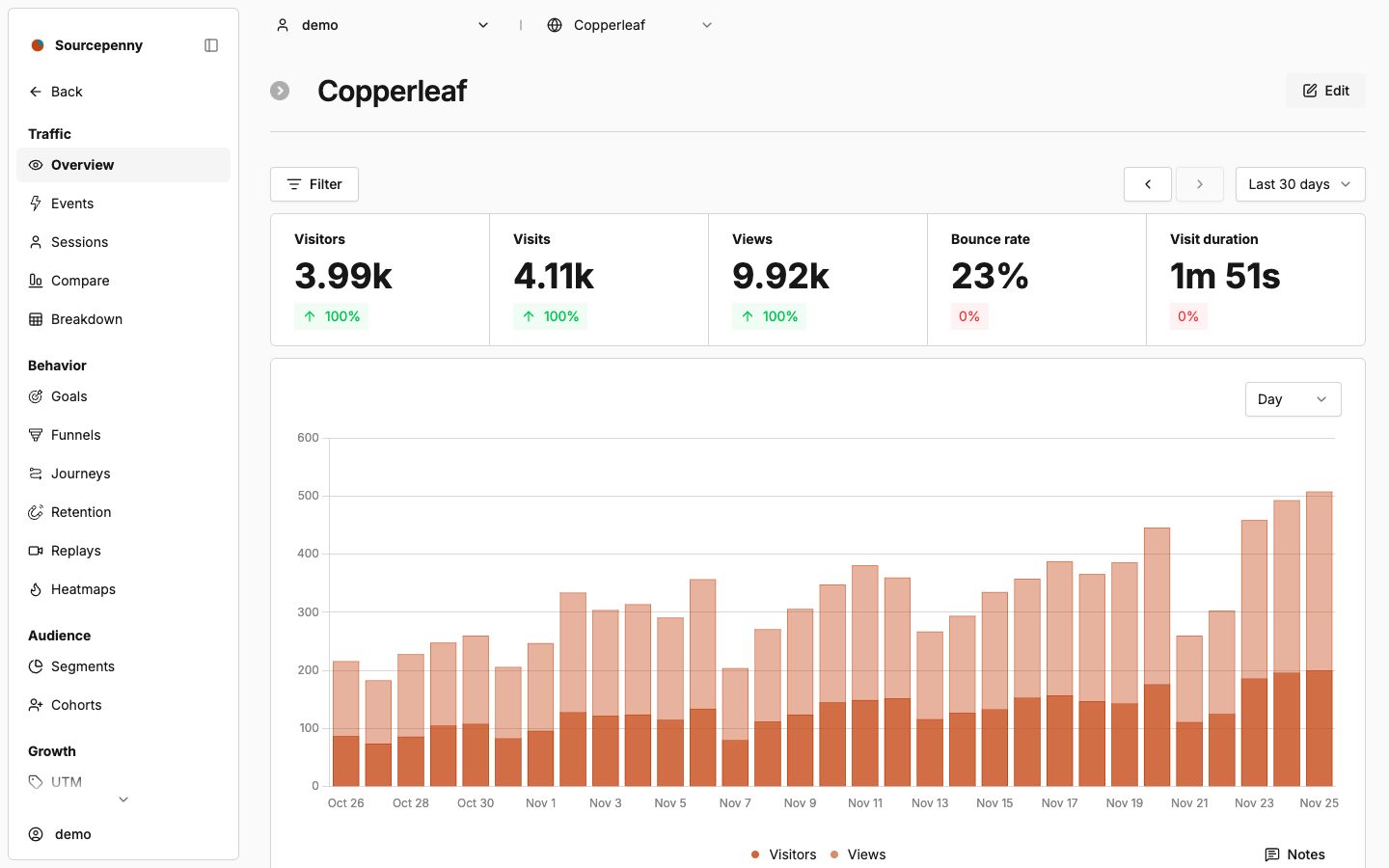
A real screen of Revenue Source Stats.
Works with
- Any website
- WordPress
- Shopify
- Webflow
- Framer
- Wix
- Squarespace
- Next.js and React
- Custom events
- API
How it works
Up and running in three steps
1Sign up free. Your account is made for you.
 2
Add your website and paste one line into its header.
 3
Watch visitors, sources and revenue come in.
A closer look
Everything in one place
Your whole site on one calm page
Visitors, visits, views, bounce rate and time on site, with where people came from and what they read.
- Pages, referrers, countries, devices
- Live visitors right now
- Compare with the last period
See which source brings the buyers
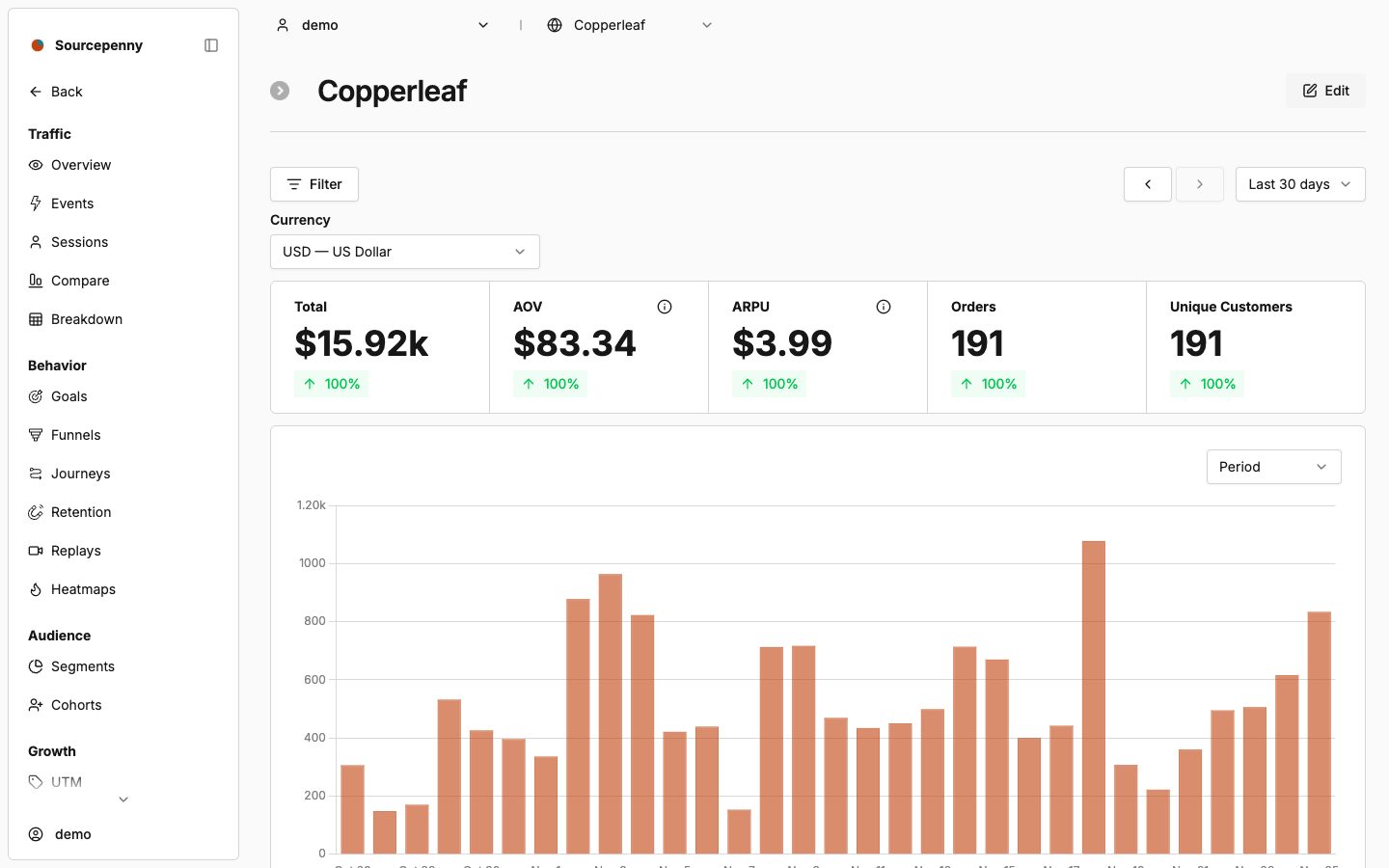
Send the order value with one line of code. Revenue Source Stats adds it up by channel, campaign and country.
- Revenue by source and campaign
- Attribution: first click or last click
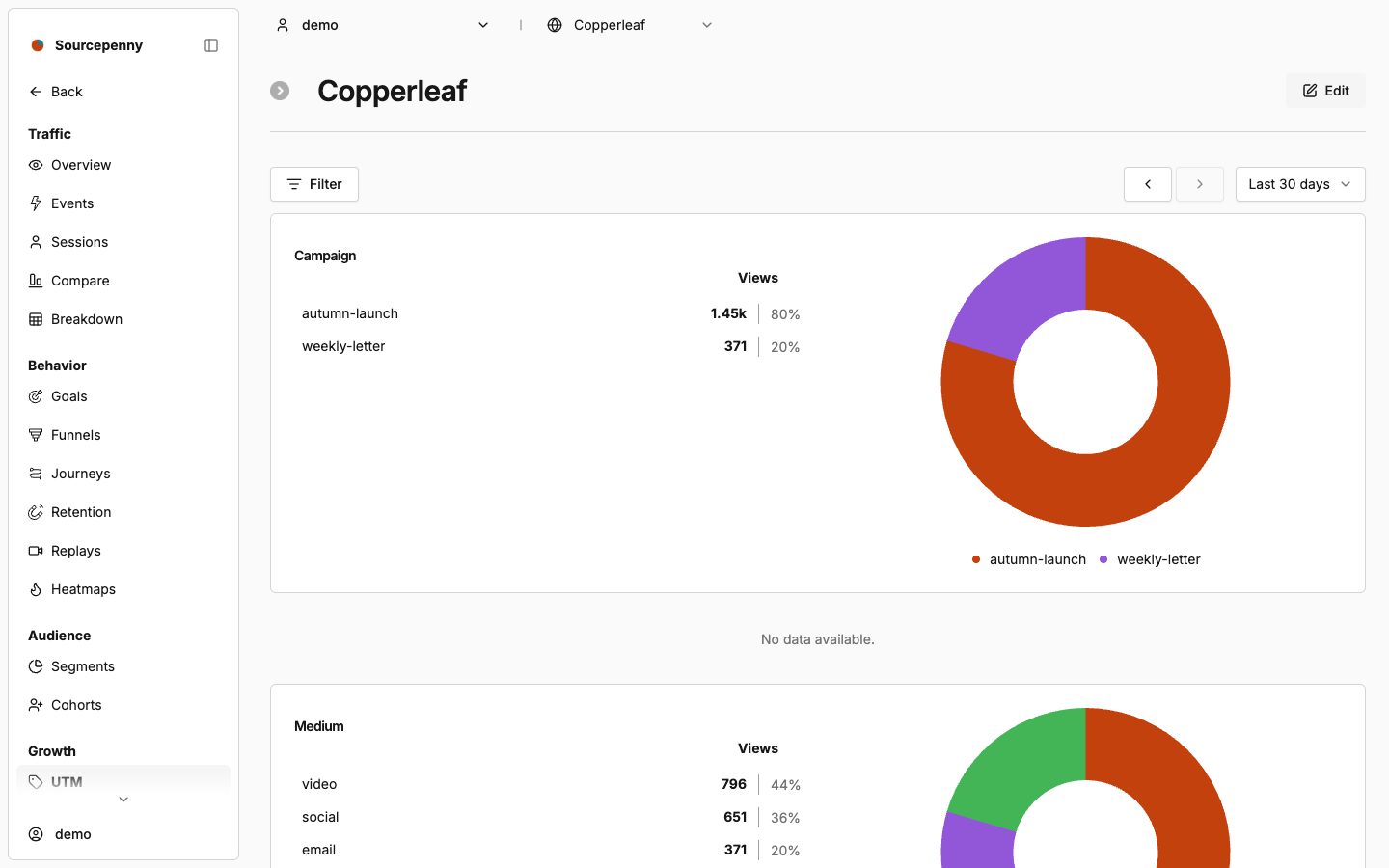
- UTM campaign report
See which campaign did the work
Tag your links and Revenue Source Stats splits visits by campaign, source and medium. Then build a funnel to see where people drop off.
- Campaign, source, medium and content
- Funnels and goals
- Journeys and retention
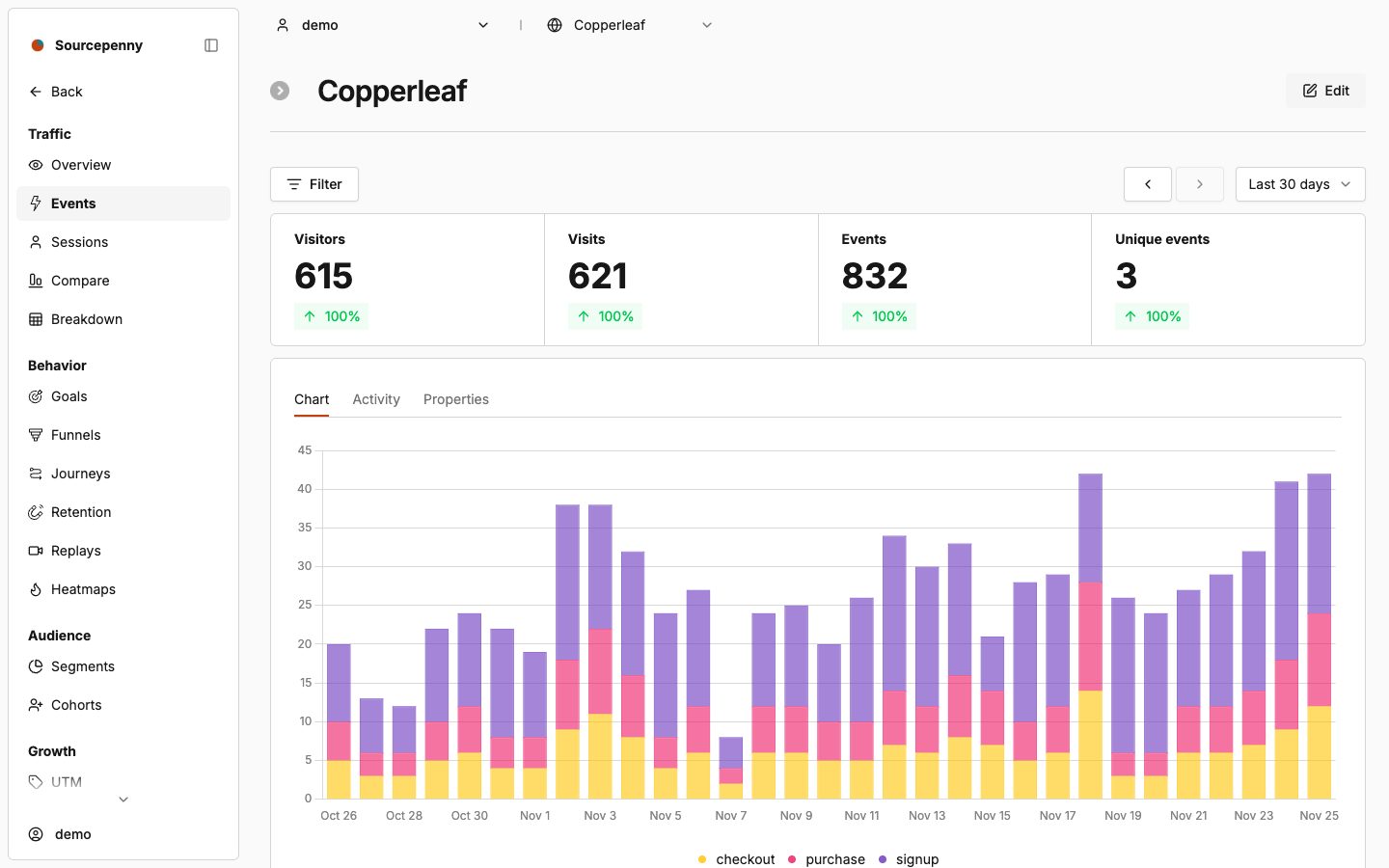
Count the clicks that matter
Track sign-ups, checkouts and downloads with an attribute on the button, and see them by day.
- Custom events with properties
- Segments and cohorts
- Filters on every report
Real screens of Revenue Source Stats.
Included
Everything you get
No cookies
Nothing stored on your visitor's device, so no cookie banner for analytics.
Tiny script
One line, a few kilobytes. Your pages stay fast.
Real time
Watch visitors arrive as you post.
Share links
Give a client a read-only page with their numbers.
Many websites
All your sites and your clients' sites in one account.
Teams
Invite people to see the sites you choose.
UTM report
Which campaign, which ad, which post.
Compare
This month next to last month, side by side.
Bot filter
Bots and crawlers are left out of your numbers.
API
Pull your numbers into your own reports.
Data stays here
On our server, never sold or shared.
Your own account
Other members can't see your sites.
White label
Your name on it. Your price. Your clients.
Revenue Source Stats comes with your brand name, logo and colour on every screen your clients see. You set the price and keep what they pay you.
- Your brand name, logo and colour
- Your own login page and address
- Runs on your own server
- Sell it at any price you like
Who it's for
Made for people who sell to small businesses
Course creators
Which video, post or newsletter brings the people who buy.
Online shops
Revenue by channel, without a cookie banner.
Agencies
One account for every client site, with a share link for each client.
Software founders
Sign-up funnel, trial-to-paid steps and where trials come from.
Pricing
Free to use. No catch.
What it normally costs. Price from their own page, November 2026.
DataFastPlausibleMake an account with your email and use it. No card. Want help selling it? Skool members ($29/month) get the community, lessons and Yar's help.
Start freeJoin the Skool groupTrust
Open source underneath. Your data stays yours.
Revenue Source Stats is built on Umami, open-source analytics (MIT licence). It doesn't use cookies, and your numbers sit on our server, not an ad company's.
How we look after your data- Your own account, nobody else's
- Encrypted connection on every page
- No ads, no selling data
A note from Yar
I run Build AI Business with Claude on Skool. Most small businesses pay for a help desk, a signing app and analytics, every month, often per person. I put open-source versions of them on our own server, with their own names, so members can use them, and sell them to clients, for the one membership price.
If something's broken or missing, message me on Skool and I'll look at it.
Questions
Good to know
Something else? Message Yar on Skool.
Who can log in?
Anyone. Make a free account with your email and a password. In our paid Claude or AI video group on Skool? Pick “Skool member” and use your Skool email.
Is one login enough?
Yes. The same email and password work on every one of our products.
Where does it run?
On our server. Log in and it's ready, with nothing to install. Want your own copy with your name on it to sell to clients? Log in and press Get your own copy.
Do I need a cookie banner?
Not for Revenue Source Stats. It doesn't set cookies or keep personal data. Other software on your site might still need one.
How do I track revenue?
Send an event with the order value when someone buys. On Shopify or Stripe that's usually one line on the thank-you page. We'll show you how.
How many sites can I add?
As many as you run, plus your clients' sites.
Can I give a client their own view?
Yes. Turn on a share link for that site and send it. They see the numbers, nothing else.
Can other members see my numbers?
No. Every member has their own account.
Can I sell this to clients?
Yes. It's made for that.
Know which channel pays you.
Visitors are nice. Revenue Source Stats shows which source brings the people who buy.